 By Benjamin Lewis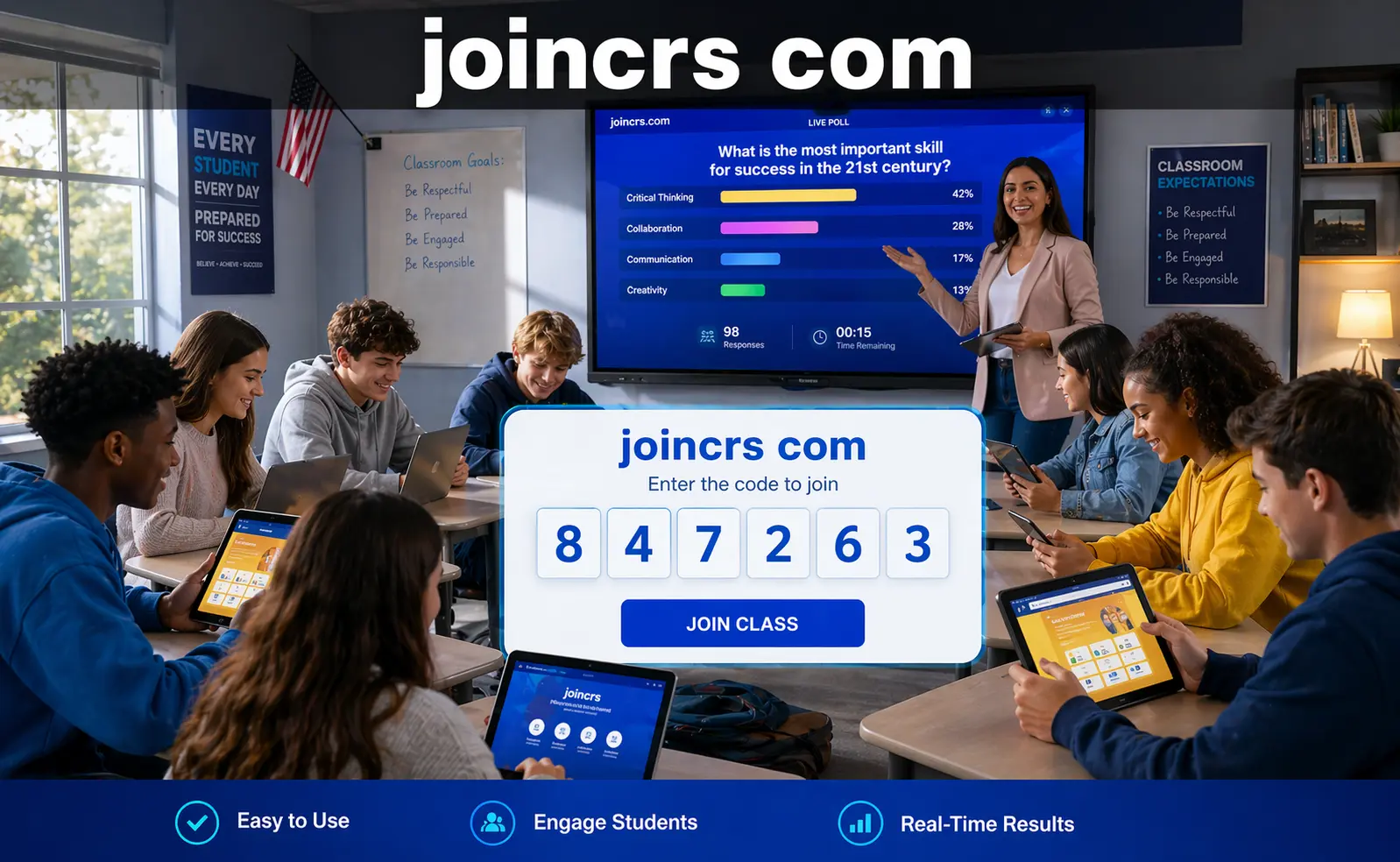
Picture this: a teacher stands in front of 28 students, some half-asleep, some on their phones, and one staring blankly at the ceiling. She pulls up a live poll on her screen, calls out a six-digit code, and within ten seconds, every single student is on their device — voting, reacting, and engaging. No app download. No password reset panic. No hand-raising anxiety. That is exactly what joincrs com makes possible every single day in classrooms across the United States and beyond.
If you’ve been handed a code by your teacher and told to visit the site, you’re about to experience one of the cleanest and most frictionless tools in modern education. And if you’re a teacher still figuring out what the platform actually is and whether it’s worth your time — this guide covers everything honestly and completely.
What joincrs com Actually Is
joincrs com is the official student-facing entry portal for Classroomscreen, one of the most widely adopted classroom management and interactive whiteboard platforms used by teachers globally. The domain itself doesn’t host a standalone app or a separate service. It is the bridge — the connecting point between a teacher’s live Classroomscreen session and every student in the room.
Classroomscreen was originally developed in the Netherlands and has since grown to serve millions of teachers across primary schools, secondary schools, and higher education institutions worldwide. When a teacher builds an interactive screen — adding polls, timers, quizzes, or noise meters — and enables the student join feature, a unique six-digit session code gets generated automatically. Students then open any browser, navigate to joincrs com, type that code, and they’re inside the live session within seconds.
What makes this remarkable isn’t the technology itself. It’s the sheer lack of friction. No email address, password, personal information, or account creation is required from the student at any point. In a world where most edtech tools demand sign-up flows, parental consent forms, and app downloads before a student can do anything useful, joincrs com’s approach feels almost radical in its simplicity. You show up, type a number, and you’re in.
How the Joining Process Works
The process is straightforward enough for a six-year-old to handle independently, which is partly the point. A teacher logs into their Classroomscreen account, sets up the session with whichever tools they want to use that day, and starts the screen. The platform automatically generates a unique session code that is tied specifically to that session and remains active only while the teacher has their screen live.
Students then grab whatever device they have — a Chromebook, a phone, a tablet, an older laptop — open a browser, and type joincrs com into the address bar. The URL is intentionally short and easy to remember. Once on the page, they enter the code their teacher displayed on the board, tap the join button, and that’s it. They’re in. The entire process takes under fifteen seconds for most students, even those who aren’t particularly comfortable with technology.
One small but important detail worth noting: the code changes every session. This means a student from first period cannot accidentally wander into another teacher’s session hours later. There’s no persistent login, no stored profile, and nothing that carries over from one class to the next. Each code is a one-time key for one specific session, and that design is intentional.
What Students Can Do Once They’re Inside
Joining is only the beginning. Once a student enters the session through joincrs com, they gain access to whatever interactive tools the teacher has activated for that particular lesson. The range of available tools is broader than most people expect the first time they encounter it.
Teachers might run a quick opinion poll at the start of class to gauge how students are feeling about a topic before the lesson begins. They might launch a true-or-false quiz mid-lesson to check for understanding before moving forward. Some teachers use the random name picker — visible to everyone on the main projected screen — to call on students fairly rather than always defaulting to the same raised hands. Others use smiley feedback tools that let students silently signal whether they’re confused, keeping up, or completely lost without any social embarrassment attached to the answer.
Real-time participation data shows up instantly on the teacher’s dashboard. If sixty percent of the class gets a question wrong simultaneously, the teacher sees that immediately and can slow down, rephrase the explanation, or address the specific misconception on the spot — rather than discovering the confusion two weeks later on a graded test. That kind of immediate course correction is one of the most genuinely valuable things joincrs com enables, and it’s something traditional hand-raising simply cannot replicate at scale.
For students who feel anxious about public participation, the anonymous response option is meaningful in ways that go beyond convenience. Quieter students who would never volunteer an answer in front of their peers will readily submit one when they know the teacher sees aggregated results rather than individual names attached to wrong guesses. Research consistently shows that removing the social stakes from answering increases honest participation, and joincrs com builds that into the experience by default.
Why Teachers Across the U.S. Are Adopting It
American teachers are genuinely busy. Between lesson planning, grading, parent communication, professional development requirements, and the daily emotional labor of managing a classroom, they don’t have bandwidth for technology that creates more problems than it solves. joincrs com wins sustained adoption because it respects that reality rather than ignoring it.
Traditional educational platforms often require students to create accounts, verify email addresses, and remember login credentials. This creates real administrative overhead for teachers — especially those working with younger students or in schools with limited parental involvement in the tech setup process. One forgotten password can derail the first ten minutes of a lesson. One student without a verified account means one student excluded from the activity. With joincrs com, none of that exists. A teacher can decide at 7:45 in the morning to run a live poll during first period and have it working by 8:01 without preparing anything the night before.
The privacy compliance angle is also genuinely important in the American educational context. Many U.S. schools operate under strict guidelines around collecting data from students under thirteen, governed by the Children’s Online Privacy Protection Act. Because joincrs com requires no student name, email address, or any personally identifiable information, it sidesteps the compliance complications that burden many competing edtech tools in this age group. School administrators who have spent hours negotiating data sharing agreements with other platforms appreciate this more than any feature list could communicate.
Cost matters too. Many American teachers spend their own money on classroom supplies and resources. The core functionality of Classroomscreen — and therefore the student access through joincrs com — is available at no cost. The free version is genuinely useful, not a stripped-down teaser engineered to force an upgrade after three sessions.
How It Performs in Hybrid and Remote Classrooms
The shift toward hybrid learning that accelerated after 2020 has not fully reversed itself. Many U.S. schools still operate with a mix of in-person and remote students on any given day, whether because of illness policies, district flexibility programs, or part-time home learning arrangements. joincrs com handles this without any additional configuration.
A student sitting at home during a hybrid session experiences the same interactive lesson as their classmates sitting in the physical classroom. They enter the same code, see the same poll question, and submit their answer in real time alongside everyone else. The teacher’s dashboard shows responses from all students together, with no visual distinction between who is physically present and who is joining remotely. For teachers trying to create genuine equity between in-room and remote learners, that seamlessness matters more than most tools acknowledge.
The platform works alongside video conferencing tools without requiring any special integration steps. A teacher running a session through a video call simply shares the session code verbally or in the chat, and remote students join joincrs com in a separate browser tab while keeping the video call open. No plugins, no screen sharing workarounds, no secondary apps required.
Security and Privacy — What Parents Should Know
Any tool that involves students, especially minors, deserves genuine scrutiny before it enters the classroom. joincrs com holds up well under that scrutiny, and understanding why can help parents feel confident about its presence in their child’s school day.
Because no personal information is collected from students at any point, there is essentially no student data to misuse, sell, or expose. Session data is controlled entirely on the teacher’s end and does not persist after a session closes. The code-based access model means that only students who receive the current code from their teacher can enter a session — there’s no public directory, no searchable classroom, and no way for an outside party to stumble into a live lesson.
The connection itself runs over a secure encrypted protocol, the same standard used by banking websites and major commercial platforms. Parents who have watched closely as edtech companies have faced scrutiny over student data practices in recent years will find joincrs com’s minimal-collection approach to be a genuine contrast rather than just marketing language.
Common Mistakes and How to Avoid Them
Even a tool this simple has a few common tripping points worth knowing in advance. The most frequent issue students face is typing the code incorrectly — transposing two digits, misreading a six as a zero, or accidentally entering a space. When both the site address and the session code are displayed clearly on the board or projected screen simultaneously, most of these errors disappear immediately.
For teachers, the main pitfall is trying to activate too many widgets at once during the first few sessions. Running a timer, a noise meter, a poll, and a name picker simultaneously in a classroom that has never used joincrs com before can feel chaotic rather than engaging. Starting with a single poll or a simple timer and building from there keeps the experience clean and the learning curve gentle for everyone in the room.
Preparing the session code before class begins — rather than fumbling through the setup while students wait — also makes a noticeable difference in how the first few minutes feel. Students who are handed a code the moment they sit down are more likely to engage immediately than students who spend four minutes watching their teacher navigate menus on a projector screen.
One practical reality that experienced users consistently mention: have a backup plan for internet outages. joincrs com requires a live connection, and a brief disruption can interrupt a session mid-activity. Having a simple offline fallback — even just asking the poll question verbally and counting raised hands — keeps class moving without turning a minor technical hiccup into a wasted period.
How joincrs com Compares to Similar Tools
Kahoot is probably the best-known competitor in this space. Students generally enjoy it, but it requires accounts, carries a more gamified pressure that some students find stressful rather than engaging, and takes meaningfully longer to set up for a quick mid-lesson check. Mentimeter and Poll Everywhere serve similar purposes but come with steeper learning curves and cost structures less well-suited to everyday K-12 use.
joincrs com’s real strength is that it isn’t trying to be a game or an entertainment platform. It’s trying to be invisible — a tool so simple to enter that students stop thinking about the technology entirely and focus only on the question in front of them. For students who have never experienced an interactive classroom tool before, that first session can genuinely change how they engage with a lesson. For students who use it regularly, the familiarity of the joining process makes every session feel effortless rather than disruptive.
That effortlessness — that sense that the technology is working in the background rather than demanding attention itself — is the actual product here, even though the tool is largely free to use.
Final Thoughts
joincrs com is not a flashy platform trying to reinvent education with artificial intelligence or immersive graphics. It does one thing exceptionally well: it gets students into an interactive session within seconds, without asking anything from them except a six-digit code. For teachers who have struggled through clunky sign-up flows, broken app installations, and data privacy headaches with other tools, that simplicity is not a small thing — it is the entire value proposition.
If you’re a teacher who hasn’t tried it yet, start with a single poll during your next class. Ask a question you genuinely want to know the answer to, put the code on the board, and watch what happens to the energy in the room. If you’re a student who just received a code, open a browser, go to joincrs com, type it in, and you’ll be part of the lesson in a way that passive listening rarely allows. That shift — from audience to participant — is what this tool is actually built for, and it’s the reason educators keep coming back to it.
Frequently Asked Questions
What is joincrs com?
It is the student entry portal for Classroomscreen, a digital whiteboard platform used by teachers worldwide. Students join live interactive sessions — including polls, quizzes, and timers — using a short code from their teacher, with no account or login required.
Do students need to create an account?
No. Students only need the session code their teacher provides. There is no email address, password, or registration of any kind required at any point.
Is joincrs com free to use?
Yes, it is completely free for students. Teachers can access core Classroomscreen features on a free plan, with optional paid tiers for expanded tools.
Does it work on all devices?
Yes. It works on any device with a modern browser and an internet connection — smartphones, tablets, Chromebooks, and laptops all work without any app download.
Is it safe and privacy-compliant for children?
Yes. Because no personal information is collected from students, joincrs com avoids the data collection concerns that create compliance problems with other edtech tools. Session data is teacher-controlled and does not persist after a session ends.
What should a student do if the code doesn’t work?
Double-check that every digit was entered correctly, watching for numbers that can look similar under pressure. If it still doesn’t work, ask the teacher to confirm the active code, since codes expire when a session ends.
Can joincrs com be used for remote or hybrid learning?
Absolutely. Any student with an internet connection can join a session from anywhere, and the experience is identical whether they are sitting in the classroom or joining from home.